


MONOPOLY
4.120.18K Reviews
App Specs
- Version
- 1.15.25
- Updated On
- License
- $4.99
- Downloads
- 1,000,000+
- Developer
- Marmalade Game Studio
- Categories
- Board
- Platform
- Android, iOS
Screenshots

 Analysis by AppCompare
I think the biggest test for a digital board game is whether it works when a few people are sharing one sofa, one screen, and very different ideas about what counts as a fair rule. MONOPOLY is a natural fit for that kind of evening: it brings the familiar property-buying contest to a phone, with the dice and money handled on screen. I’d consider it for a household that already enjoys the tabletop game but doesn’t always want to set up a physical board.
A shared screen changes the game-night rhythm
On a shared device, the appeal is practical as much as nostalgic. There’s no need to keep track of loose cash or pass around cards, and the app can keep the game moving while everyone stays around the same table. That makes it useful for a casual evening when people want to play together but would rather avoid the small chores that come with a boxed game.
There is a trade-off, though: everyone’s attention is gathered around a single screen, so a phone can feel cramped when several players are trying to follow the board at once. I’d use a larger screen if one is available, and make sure players can see the board before beginning. For a group that likes to talk through every trade, the device should be a shared focal point rather than something one person operates out of view.
Decide who is using the device before play
Before handing a shared phone to a child or another household member, I’d agree on who is playing and who is responsible for any purchases. That simple boundary matters because the game is paid, and it also offers optional in-app purchases. I would not treat a shared device as a shared account: the person holding it may be able to interact with the device’s store settings, so the household should check its own purchase safeguards before a game night.
The game is developed by Marmalade Game Studio, and it has a 4.1 average from around 139,000 ratings, with over 1 million installs. Those figures suggest it has found a substantial audience, but they don’t tell me whether its pace or multiplayer style will suit a particular group. I’d decide based on how your household likes to play: people who enjoy bargaining and long turns may settle in happily, while anyone hoping for a quick, low-commitment round may prefer a shorter board game.
Coordinate turns and expectations
For remote play, the useful question is less “Can we play?” and more “Can everyone agree on a time and stay engaged?” A property game asks players to pay attention between their own turns, so it works best when friends can set aside a proper stretch rather than squeeze it into a distracted moment. If one person has to leave early, decide that before starting; an unfinished game is a poor fit for a tightly scheduled break.
At home, I’d also settle on house rules before the first roll. Familiar groups often disagree about small conventions, and sorting that out up front avoids stopping the game to debate what everyone thought was standard. The app’s rule customization can help when players want their usual version, but it is worth checking the chosen settings together so a newcomer is not surprised halfway through.
Worth Reading Before You Choose

EA SPORTS FC Mobile 26 Is a Bigger Football Game, but It Takes Time

Flipboard Shows What News Apps Must Do Beyond the Feed

Switching to Android Auto Means Rethinking Your Driving Routine

Google Calendar Makes a Crowded Week Easier to Manage

Ludo King Makes the Most of the Minutes Between Plans

Baby Panda World Brings Quick Play to Modern Phones, but Its Game Library Feels Busy
Age suitability is not the same as account readiness
The game carries an Everyone age rating, which makes it broadly suitable as a family board-game option. For younger players, the main practical question is whether they can follow turns, money, and property choices—not whether they can tap the screen. I’d be ready to explain why buying a property now can matter later, and to keep the first session relaxed rather than turning every decision into a lesson in strategy.
It costs $4.99 to download, and optional in-app purchases range from $0.99 to $59.99 per item. I’d factor both into the household decision rather than assume that a child-friendly rating means there are no spending considerations. The game runs on Android 6.0 or later, and version 1.15.13 is the current release identified here; the practical check is whether the device meets that requirement and has enough room for another game.
The Classic Game, Now Mobile
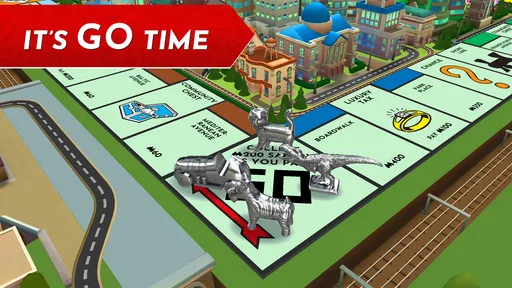
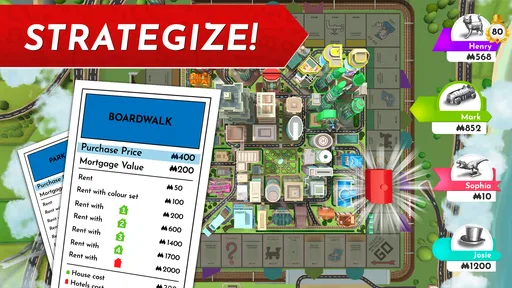
The first thing that struck me about the app is how closely it mirrors the classic board game. From the iconic game pieces to the familiar properties like Park Place and Boardwalk, it’s all there. The app does a fantastic job of capturing the essence of the original game while adding a modern twist.
Gameplay and Features
When it comes to gameplay, it’s incredibly intuitive. You can choose between playing against AI opponents or challenging your friends in a multiplayer mode. I found the AI to be quite competent, making for a challenging game even when playing solo. The multiplayer feature is seamless, allowing you to connect with friends whether they’re sitting next to you or miles away.
One of my favorite features is the ability to customize the rules. You know those little house rules that each family has? Now you can incorporate them into your game. Want to add extra cash for landing on Go? You’ve got it. Free parking jackpot? No problem. This flexibility makes the game more personal and engaging.
Visuals and Sound
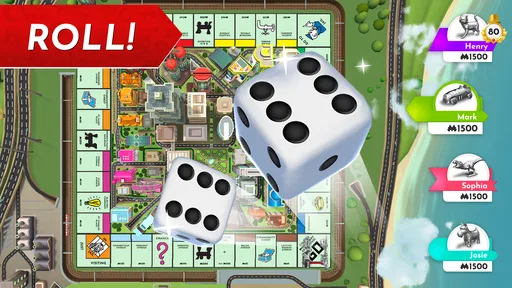
The graphics in the app are vibrant and detailed, giving each game piece and property a fresh, lively feel. The animations are smooth, keeping the game visually engaging without being overwhelming. As for the sound, the app includes that classic MONOPOLY tune, which is a nice touch to keep the nostalgia flowing. The dice clatter and the little cash register sounds when you collect money add a delightful layer of realism.
In-App Purchases and Ads
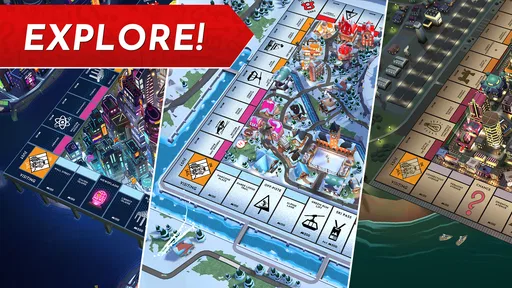
Now, let’s talk about the in-app purchases. While the base game offers plenty of content, there are additional boards and themes available for purchase. These aren’t necessary for enjoyment but do add a fun variety if you’re looking to spice things up. Thankfully, the app isn’t bogged down with ads, letting you enjoy your game without interruptions.
Compared with a physical board, the phone version saves setup and tidy-up, and it handles the fiddly bookkeeping. Compared with free casual board games, its advantage is the recognisable property-trading format; the compromise is paying to get started, with optional purchases on top. If your group prefers quick rounds, word games, or games where nobody has to wait through other players’ turns, this is probably not the better choice.
A small but useful habit is to treat the first session as a rules-and-device check rather than a high-stakes match. Confirm that everyone understands the selected house rules, can read the board, and knows who is controlling the phone. That gives new players room to learn without making the owner of the device responsible for every dispute or decision.
Why You’ll Love It
If you’re a fan of strategy games or just looking for a way to pass the time with friends, MONOPOLY is a great choice. The app’s ability to bring people together, whether physically or virtually, is its strongest suit. Plus, it’s a fantastic way to introduce the younger generation to a timeless classic.
I’d recommend it most to people who already like the slow build of collecting properties, negotiating, and watching a plan pay off over several turns. It also suits a solo player who wants to practise against computer opponents without laying out the physical board. I’d skip it if you dislike games where fortunes can swing, if your group has little patience for a long shared activity, or if you specifically want a free download with no extra spending choices.
In summary, MONOPOLY on mobile is a delightful blend of nostalgia and modern gaming. It’s perfect for those who love the strategy and excitement of the board game but want the convenience of playing on the go. So, roll the dice and see if you can become the ultimate property tycoon!
My household verdict
For a family or group of friends, I see this as a convenient alternative to bringing out the box, not a replacement for every kind of game night. The digital format is strongest when the players already know the basic rhythm and want the app to manage the board details. For younger or first-time players, a patient adult and a clear agreement about purchases make the experience easier to share.
The release date is December 4, 2019, and the game remains a focused adaptation of a familiar board-game experience. My recommendation is conditional but positive: choose it when you want the recognizable property game on a phone and have time to play together; choose a quicker, simpler alternative when your group wants something that fits into a few spare minutes.
Pros
- Interactive multiplayer mode enhances fun.
- Intuitive controls make gameplay smooth.
- Stunning graphics bring the board to life.
- Customizable house rules add flexibility.
- Regular updates with new themes.
Cons
- Requires internet for multiplayer mode.
- In-app purchases can be costly.
- Occasional lag on older devices.
- Limited offline play options.
- Initial setup can be time-consuming.
FAQs for MONOPOLY
What devices are compatible with the MONOPOLY app?
The MONOPOLY app is compatible with both Android and iOS devices. To ensure smooth gameplay, make sure your device meets the minimum OS requirements: Android 5.0 or later, and iOS 10.0 or later. Always check the app store for the latest compatibility information and updates.
Does the MONOPOLY app support multiplayer mode?
Yes, the MONOPOLY app supports multiplayer mode, allowing you to play with friends and family. You can connect with others online or locally. The app also has a single-player mode where you can compete against AI opponents if you prefer solo play.
Are in-app purchases available in the MONOPOLY app?
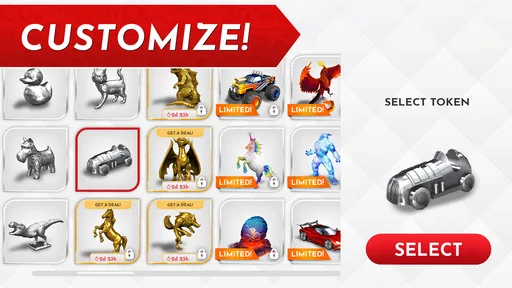
The MONOPOLY app does offer in-app purchases. These can include various things like special tokens, board themes, and other features that enhance the game. While the game itself is a one-time purchase, these additional features can provide a more personalized experience.
How is the game different from the classic board game?
The MONOPOLY app stays true to the classic board game but adds digital enhancements like animations and interactive features. It offers different board themes and tokens, and the convenience of playing on-the-go. It also includes tutorials for new players and a fast mode for quicker games.
Is an internet connection required to play the MONOPOLY app?
An internet connection is required for online multiplayer games, but you can play the single-player mode offline. This makes it convenient for gaming while traveling or in areas with limited connectivity. However, some features may be restricted without internet access.


